Features review – updating vehicle details


by Fiona Taylor
Updating vehicle details – how do you do it?
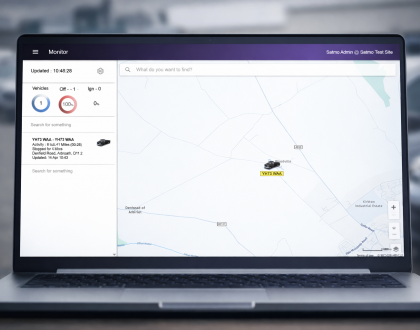
After having vehicle tracking fitted to your fleet it is important to use the features that will help your business. Firstly though you need to make sure that you can recognise which vehicle is which. For this you may need to start updating vehicle details on the tracking site.
When your vehicle tracking kit is installed the engineer will commission the unit. This means that they will check that the data is being fed back correctly, and the unit is wired to send back ignition on and off signals. The engineer will finish his commissioning by allocating a registration to that unit. This is the vehicle registration that will show on your system.
Why will you be updating vehicle details on the system?
You might change the registration on the vehicle, maybe your fleet all have private plates with sequential numbers. Or your drivers could change throughout the vehicle tracking contract and you want to change the system to
How do you go about updating vehicle details?
The process is quite straightforward.
- Log into your vehicle tracking system.
- Click on the config tab to take you to the configuration section of your vehicle tracking system.
- Choose ‘vehicles’ from the list on the left hand side.
- Select ‘edit vehicle’ on the vehicle that you want to change.
- Change the details, and click save.
If you have any questions you can call the team in the office, or drop us an email.
If you would like to hear more about our vehicle tracking system then please call us on 01274 587748. Or why not sign up for a trial? You can have a unit fitted, and use the system for 28 days with no cost to you. Check out out free trial blog and sign up now.
Fiona Taylor
Fiona Taylor is the Sales Manager at award winning Satmo Vehicle Tracking. If you feel you need help with your fleet, want to gain back control, save some money and time then please get in touch.